
Barya — Personal Finance Tracker
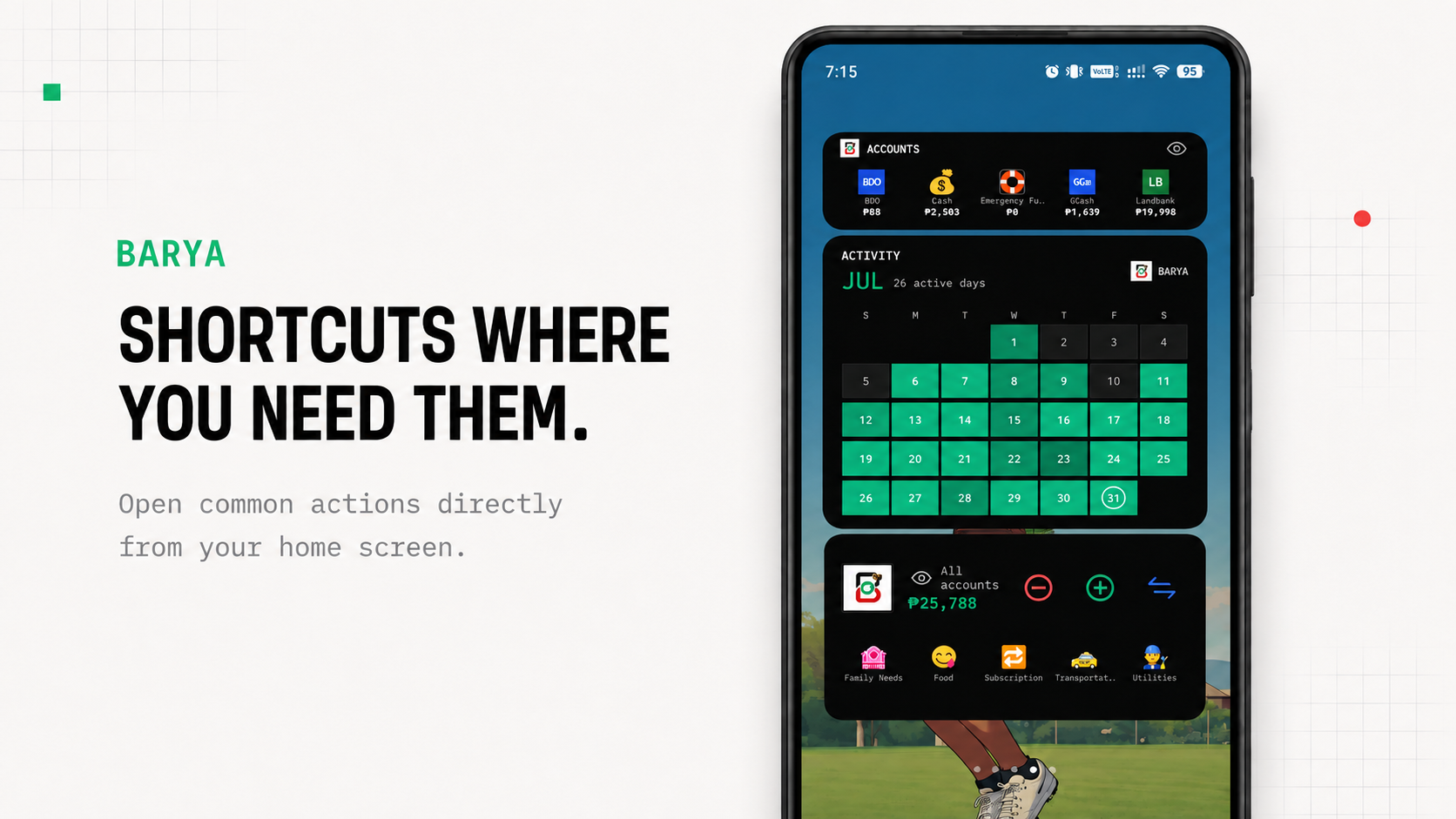
Barya is a local-first personal finance app designed to make everyday money tracking fast and practical. It helps users record expenses, income, and transfers, manage accounts and budgets, review spending patterns, and access common actions directly from the Android home screen.
The project moves from a clear problem to a practical result, with the details that mattered along the way.
Problem
What needed to change and why it mattered.
Many personal finance apps add too much friction to a simple task: recording a transaction. Users may need to open the app, navigate multiple screens, or depend on an internet connection just to record a small expense. This makes consistent tracking difficult, especially for frequent everyday purchases.
Solution
How the design and build addressed the problem.
Barya was built around low-friction, offline-first money tracking. Transactions are stored locally using SQLite and can be recorded through focused in-app flows or Android home-screen shortcuts. The app includes accounts, categories, budgets, financial analysis, activity tracking, search and filtering, manual backups, JSON restore, CSV import/export, and dedicated widgets for frequently used actions. Barya Free and Barya Pro were also structured as separate editions while supporting migration between them.
Phone screenshots
A closer look at Barya — Personal Finance Tracker across phone screens.
What was included
A quick look at the main parts of the work.
Built with
The collaborators connected to this project.
Lessons learned
A few things this project clarified for the next one.
Reducing the number of steps required to record a transaction can be more valuable than adding more financial features.
Local-first architecture works well for personal finance because core functionality remains available without connectivity.
Home-screen widgets can turn frequently used app features into much faster everyday workflows.
Backup, restore, export, and migration should be designed early because users need confidence that their financial records remain portable.
Building for Google Play involves more than application development; signing, versioning, testing tracks, store assets, privacy requirements, and tester workflows are part of the product itself.
Free and Pro editions require careful feature separation without compromising compatibility with shared user data.